Instead of telling you, let us show you
This WhatsApp CRM demo is the real panel itself. Explore it without signing up: open a conversation, change the owner, look at the reports. The data is sample, the screen is real.
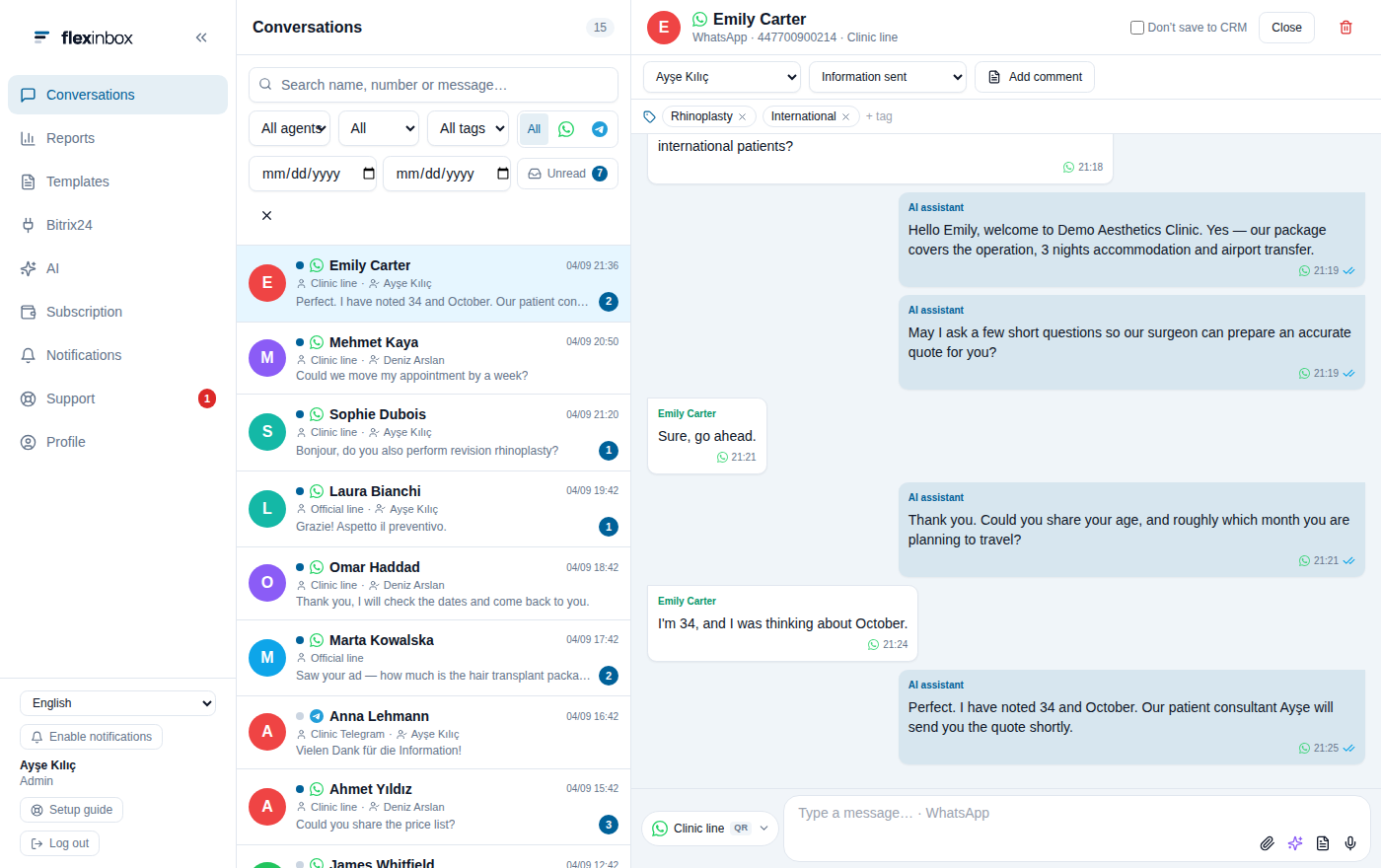
The real panel, with demo data
Open it with the CRM you use
The record card next to the conversation changes with the CRM: the stage list, record type and field names come with that CRM's own concepts.
 Bitrix24
 Zoho CRM
 HubSpot
 GoHighLevel
Five places worth looking at in the demo
The whole panel is open. Look at these in order and you will see how the product works in a few minutes.
Conversation and CRM card
Open the Emily Carter conversation: the customer's record, owner and stage sit on the right. Change the owner, move the stage forward.
Filters
Filter by line, channel, tag and unread; see how the team's shared list narrows.
Reports
Reports in the left menu: first response time, unanswered conversations, agent breakdown and heatmap.
AI
In the AI section, review the agent, the knowledge base and the response log.
Templates and forms
Approved WhatsApp templates and WhatsApp forms on the Templates screen.
CRM screen
User mapping and settings on the Bitrix24, Zoho or HubSpot tab.
About the demo
The demo is the real panel itself; only the data and the outside connections are fake.
The data is sample data. Contacts, numbers and conversations are made up; there is no real customer data.
No message is sent. A message you type in the demo reaches nobody; the sending path is closed.
Changes are not saved. What you change stays while the page is open and resets when you refresh.
Show all technical limitations
The CRM connection is simulated. The record card is drawn with sample data; it is not connected to a real CRM account.
The screen is real code. The demo is the same panel our customers use; it is not a separate marketing interface.
It can feel cramped on a phone. The panel is designed for desktop; we recommend opening the demo on a wide screen.
About the demo
Do I need to sign up for the demo?
No. The WhatsApp CRM demo opens in your browser and asks for no signup and no credit card.
Is the data in the demo real?
No. Contacts, numbers and conversations are samples. The screen itself is the real panel.
Can I connect my own CRM and try it?
Yes. In the 14-day free trial you connect your own CRM and your own number; we ask for no credit card.
If I send a message in the demo, does it reach the customer?
It does not. The sending path is closed in the demo; the message you type appears on screen only.
If you liked the demo, try it with your own number
In the free trial you connect your own CRM and add your own number with a QR code.
No credit card · 14 days free