WhatsApp for sales teams,
on one screen.
The way to bring order to WhatsApp for sales teams is not to stop everyone writing from their own phone; it is to collect those same conversations in a shared inbox. The shared inbox is the team's single screen: the agent keeps writing from their own number, the manager sees who replied and how fast, and the business owner knows the customer record stays with the company.
Unlimited users · No per-person fee · 14 days free
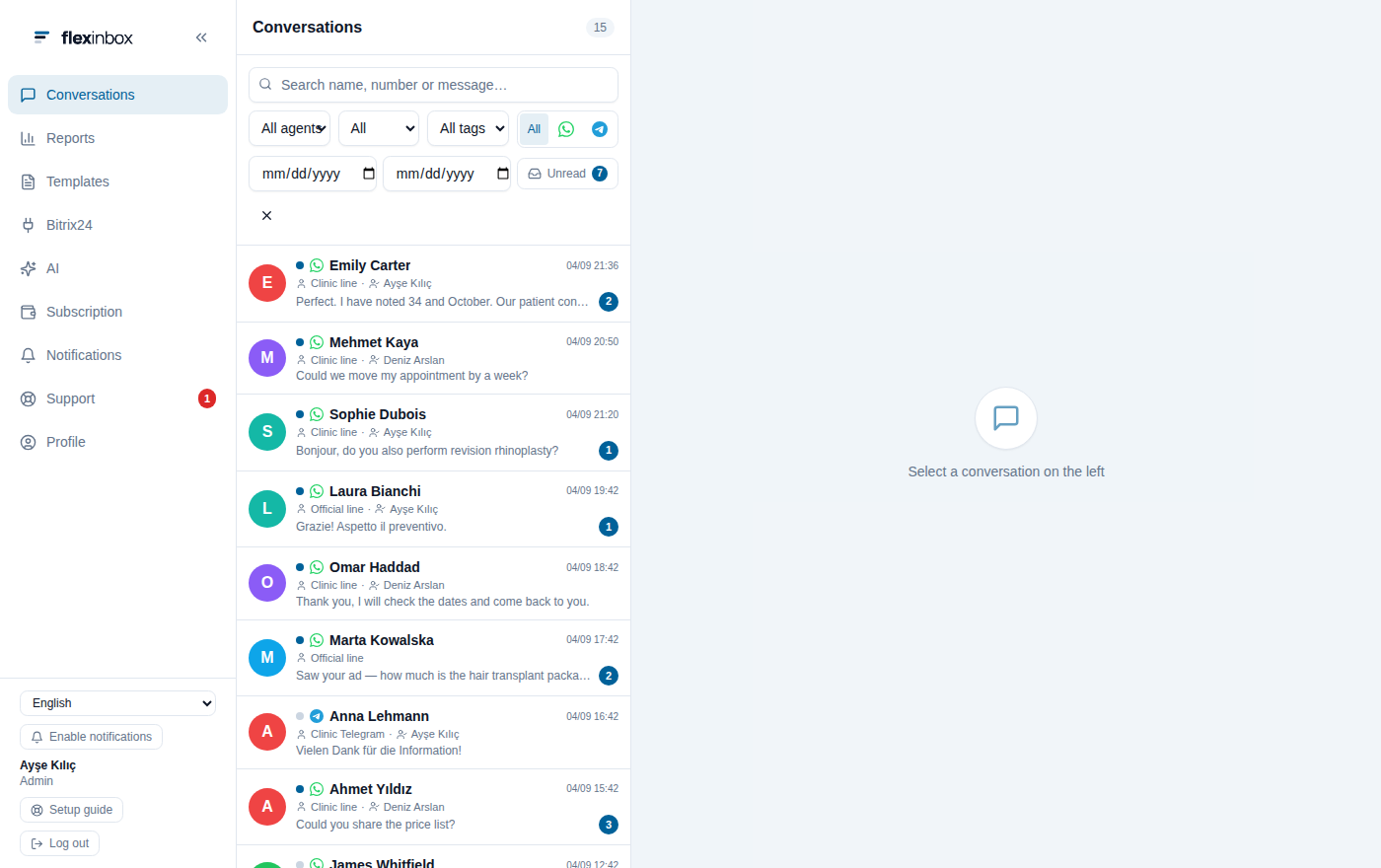
Every conversation in one list;
you see who took over
Nothing left waiting until morning
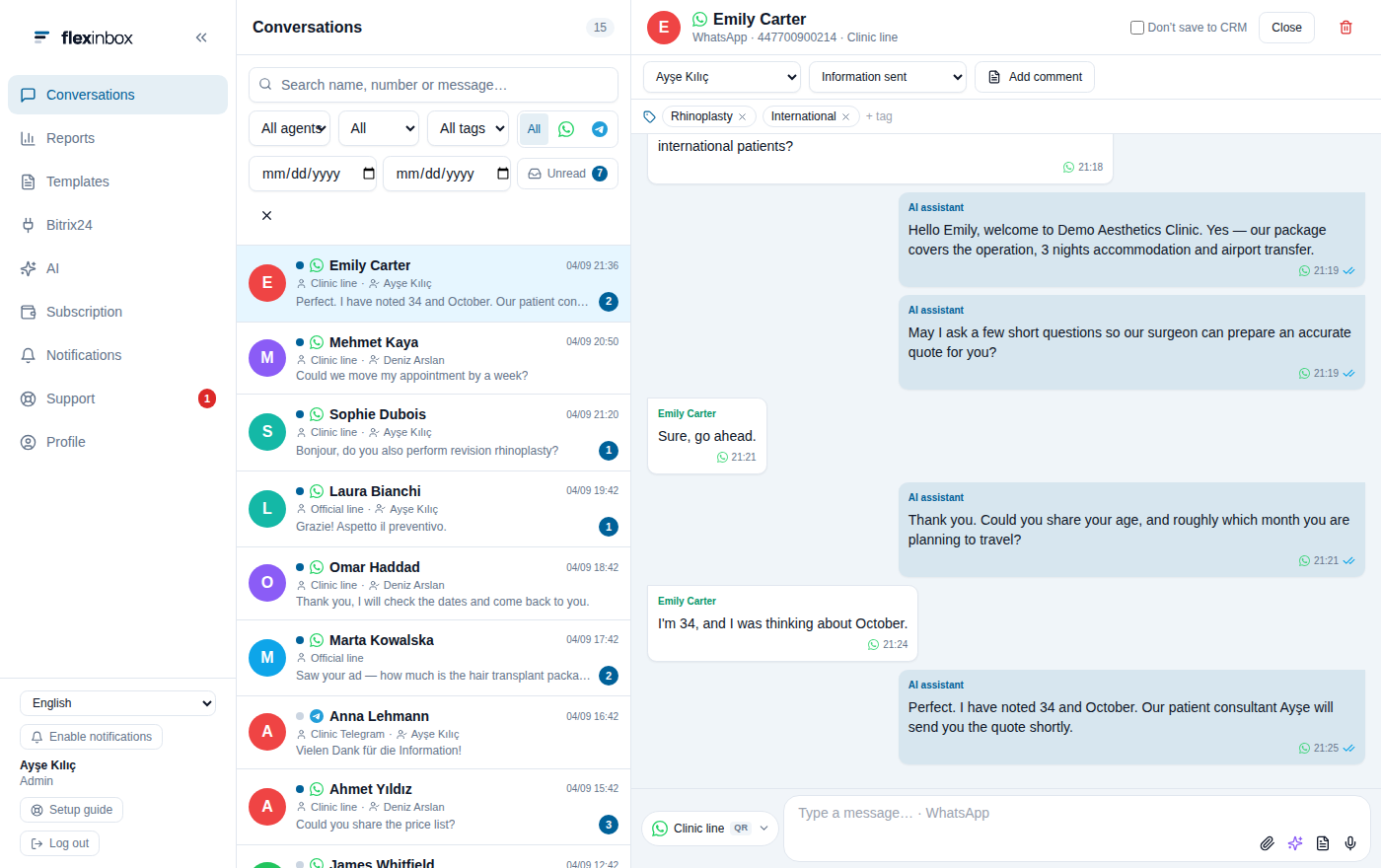
The customer record next to the conversation:
no second screen
One screen, no second phone to check
When you sit down in the morning, the messages that arrived overnight are waiting in the shared inbox; it is clear which ones have not been answered. The customer record sits next to the conversation, so you never have to go looking for 'who was this, what did we discuss'.
- Unread conversations are filtered in one click; an unanswered conversation shows up in the reports too
- Canned replies mean you do not type the same answer again
- The assistant handles the first questions and stops when you take over
- You keep writing from your own number; the customer notices no change
You see it without asking
Measurement, not guesswork
How many conversations each agent handled, how many minutes the first response took on average, which conversations went unanswered. With the supervisor role you see the whole team and manage who works on which line in a single table.
- First response time and SLA target hit rate
- Unanswered conversations: who is waiting, and for how long
- Tag distribution: which topics come up and how often
- Volume heatmap: how many people you need at which hour
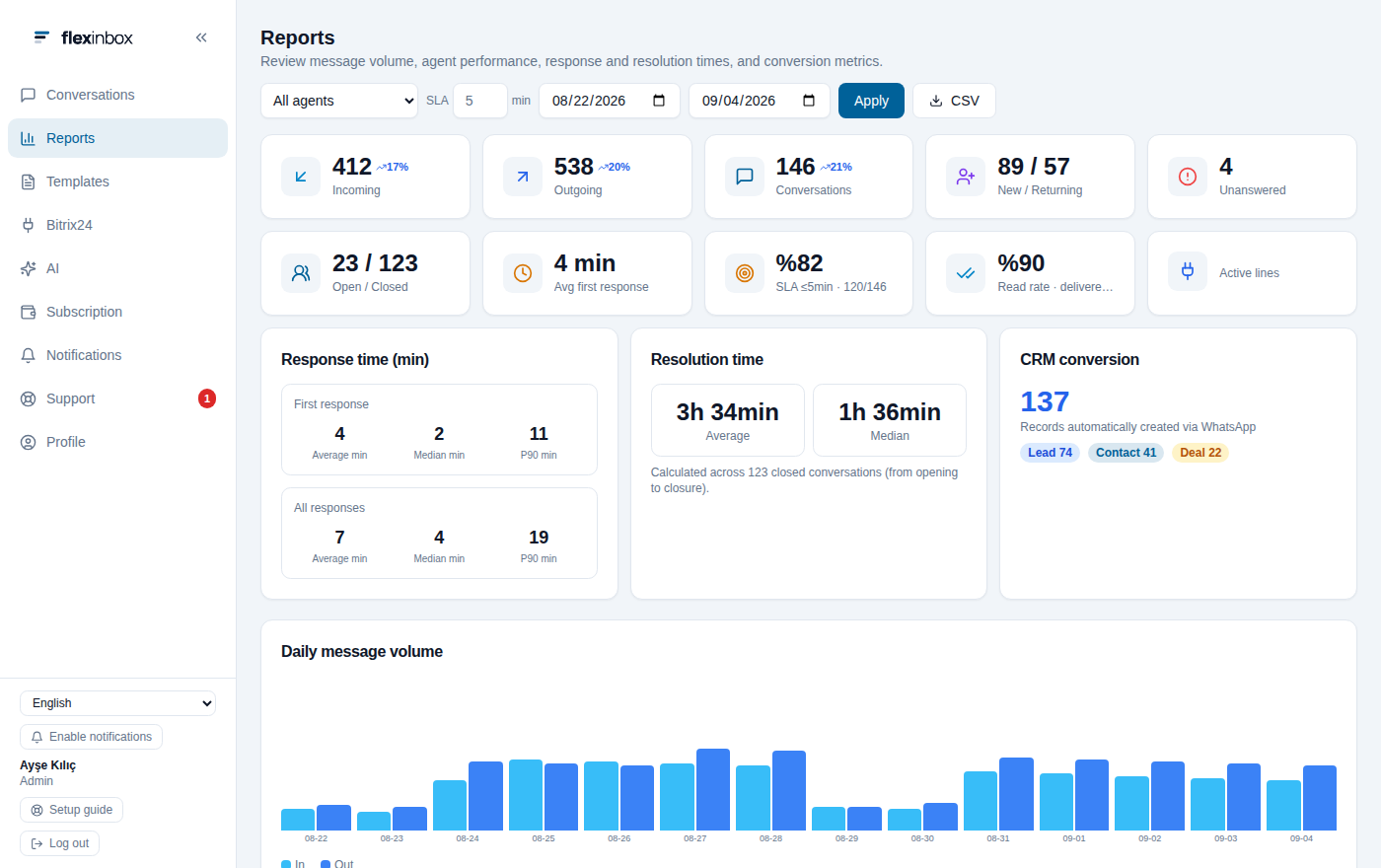
Who replied and how fast:
without waiting for a meeting
The customer stays with the company
Even when the team changes, the conversations and customer records stay with the company. There is no per-user fee, so adding people to the team costs nothing; the price follows the number of lines you connect.
The record stays with the company
Because the conversation is written to the CRM record, customer information does not leave with an employee's phone.
No per-person fee
Add as many people to the team as you like and the price does not change; you pay only for lines.
Handover is simple
You transfer a departing person's line to another agent; the history stays in place.
You do not create users by hand
Your users come from your CRM. Each row holds that person's panel account, role and connected line; you send a new hire a link and they scan the QR code from their own phone.
Connect your CRM
The user list, stage and status lists come from the CRM; you do not define them by hand.
Give out the roles
Admin, supervisor and personal role. You decide who sees what.
Match up the lines
Everyone connects their own number; you can let more than one person use a line, and withdraw that permission whenever you want.
What to know when setting up a team
Permission and visibility questions should be clear before a contract, not after it.
Users come from the CRM. You do not create users by hand in the panel; if a person is not in the CRM, they are not in the panel either.
Visibility depends on the role. An agent with the personal role sees only the conversations on their own lines. If you want full transparency inside the team, assign the roles accordingly.
One line, several people. You can let several people use the same number; who wrote a message is visible in the conversation.
Show all technical limitations
Group conversations are not written to the CRM. Groups appear in the panel and can be answered, but they are not written to the CRM record.
Staff-to-staff messages are not carried to the CRM. Messages team members send each other are not written to a customer record.
Pricing is per line. Adding people is free; the cost follows the number of lines you connect.
About WhatsApp for teams
How do I bring order to WhatsApp for sales teams?
You connect everyone's number to the same panel. The conversations collect in one shared list, the CRM record sits next to each conversation, and the manager sees first response times and unanswered conversations.
How many people can I add?
There is no limit and no per-user fee. Your users come from your CRM; the price follows the number of lines you connect.
Can agents see each other's conversations?
It depends on the role. An agent with the personal role sees only the conversations on their own lines; supervisors and admins see more.
What happens to the conversations if an employee leaves?
They stay with the company. You close the user account and the open session drops within seconds; you transfer the line to another agent and the history stays in place.
How do I get a remote employee to connect a line?
You send a link from the panel; the person scans the QR code from their own phone and connects. They do not need to come to you.
Bring your team onto one screen
Let everyone keep writing from their own number; you see who replied and how fast.
No credit card · 14 days free