Which WhatsApp line
fits you?
There are three WhatsApp line types: your own number connected by QR code, a Meta-approved official line and Telegram. All three land in the same inbox and appear in the same reports. Whichever you start with, adding another later is not a setup from scratch.
Monthly price per line · No per-user fee · 14 days free
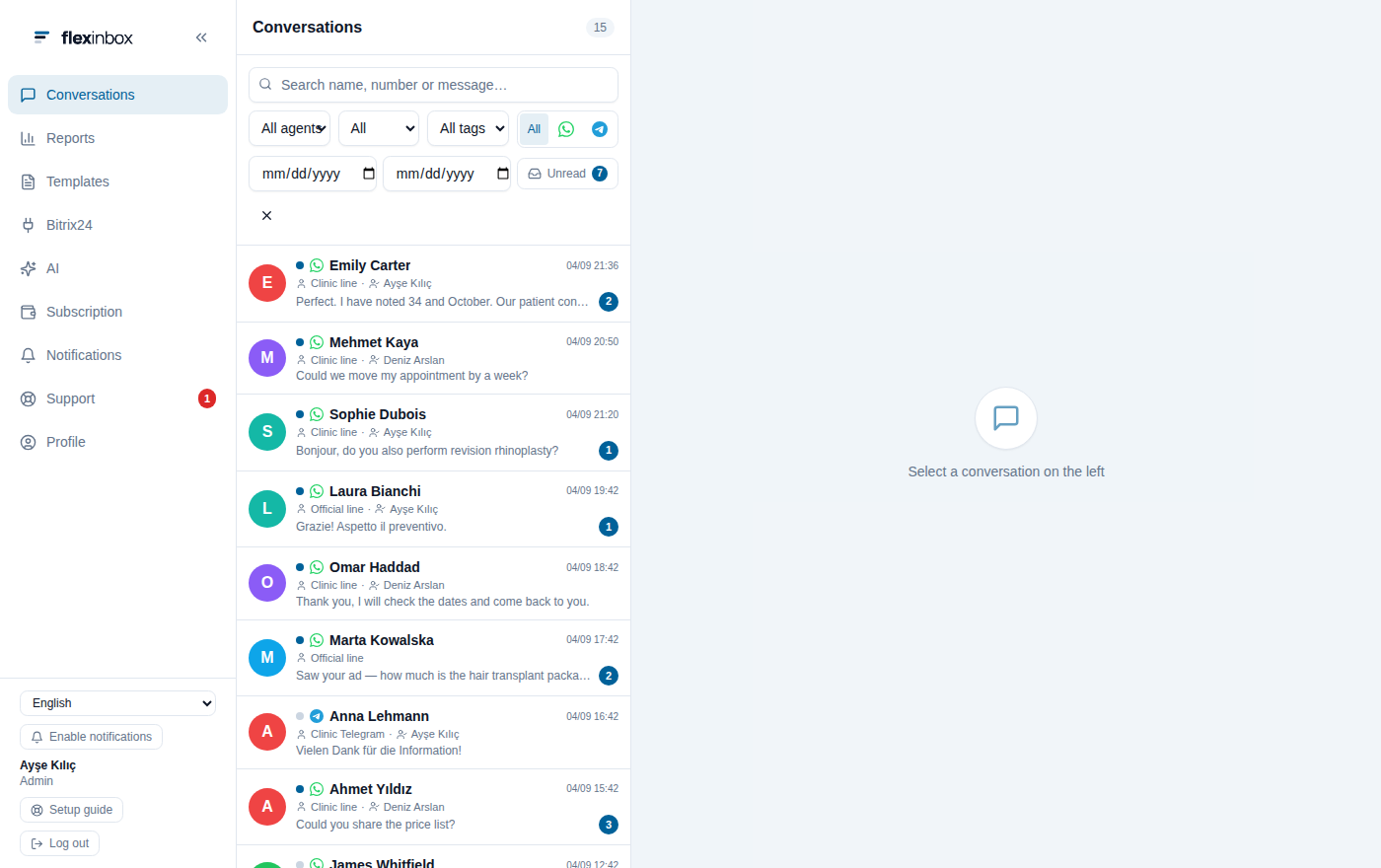
Whichever the line is,
one list, one report
Your own number, the official line and Telegram
Your own number (QR code)
The number your team uses today. The app on the phone stays open; the panel is added as a device linked to the number. Setup takes minutes and there is no application process. The customer sees your number, not your business name.
Official line (WhatsApp Business API)
A Meta-approved business number. The customer sees your approved business name, and the number belongs to the company rather than to one person's phone. Bulk and automated sending is done with approved templates.
Telegram
A second channel for businesses whose customers use Telegram. It connects by QR code; there is no template or window rule, but there is no business verification badge either.
Which line, when
The difference between the three line types in a single table. You can use more than one of them together in the same account.
| Feature | Your own number | Official line | Telegram |
|---|---|---|---|
| Works with your own number | |||
| Setup time | Minutes | Depends on Meta approval | Minutes |
| What the customer sees | Your number | Your business name | Your username |
| Approved template required | No | Yes, outside 24 hours | No |
| WhatsApp groups | |||
| Bulk and automated sending | Limited | With approved templates | Limited |
| Monthly price | $50 | $60 | $50 |
If you want both: Coexistence
Moving to a corporate line used to mean taking your number off your phone. With WhatsApp Coexistence your number stays live in the WhatsApp Business app and works as an official line in the panel at the same time. Details: WhatsApp Coexistence.
The number stays the same
You do not announce a new number to your customers; business cards and ads keep working as they are.
The phone stays live
You keep writing from your phone, and your team sees the same conversation in the panel.
A few limits in return
Groups and the broadcast lists in the app are turned off; the details are on the Coexistence page.
What to know for each line type
The rules are set by WhatsApp; which ones apply to you depends on the line you choose.
The 24-hour window on official lines. If the customer has not written in the last 24 hours, you can only reach them with an approved template. The window reopens as soon as the customer writes.
Daily conversation tier. On an official line the number of conversations you can start per day is tiered: 250, 2,000, 10,000, 100,000 and unlimited. The tier rises with use.
QR code lines follow personal account rules. Bulk and unsolicited messages can get the number restricted; that risk comes from how the tool is used, not from the tool.
Show all technical limitations
Groups only on QR code lines. WhatsApp groups appear in the inbox on QR code lines. Groups are not supported on official lines or Coexistence lines.
No business badge on Telegram. Telegram lines have no template or window rules; in exchange, there is no business verification either.
Meta fees are separate on official lines. WhatsApp Business API usage fees are calculated by Meta by message category and destination country, and are paid directly to Meta.
About WhatsApp line types
Which line type should I start with?
If your team writes from their own phones today, start with a QR code line: it is set up in minutes, with no application. If you need a corporate look, bulk sending or automated messages, an official line is added. Both run in the same panel.
What is the difference between a QR code line and an official line?
On a QR code line the customer sees your number, there are no window or template rules, and groups work. On an official line the customer sees your Meta-approved business name, an approved template is required outside 24 hours, and bulk sending is possible.
Can I connect more than one line at the same time?
Yes. QR code numbers, official lines and Telegram run together in the same account; they all land in the same inbox and enter the same reports. Pricing is based on the number of connected lines.
Will WhatsApp on my phone stop working?
Not on a QR code line; the panel is added as one more device linked to the number. On a classic official line the number moves to the API and the app can no longer be used; if you want both, there is WhatsApp Coexistence.
Can I change the line type later?
Yes. You can start with a QR code line and add an official line later; your conversation history and reports stay in the panel. If you want to move the same number to an official line, the Coexistence route is there.
Let us find the right line for you
A QR-code line connects within minutes. For an official line, the application and number approval proceed on Meta's side.
No credit card · 14 days free